Download

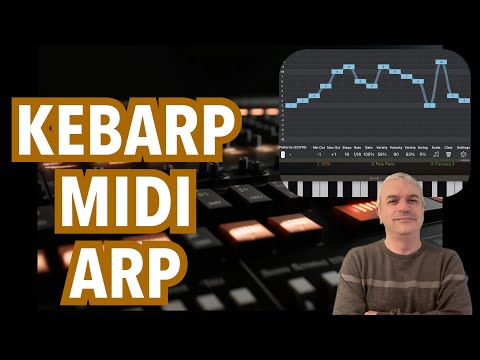
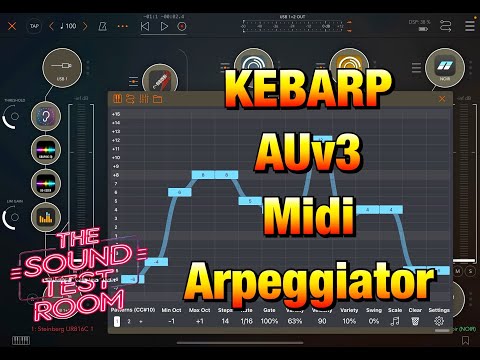
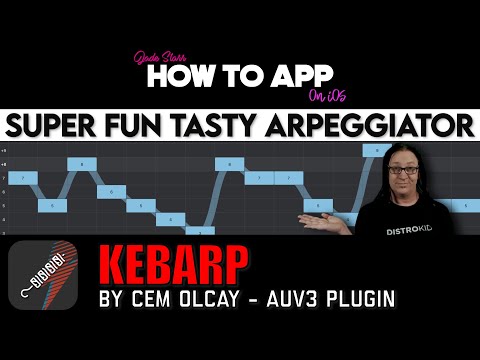
Welcome to Kebarp, the super quick arpeggiator app. Simply drag your finger to draw notes on the customizable grid in no time.
The numbers on the grid represent the notes in the scale. 1 is the root note, 2 is the second note, -2 is the note before, and so on.
On the control strip, adjust the minimum and maximum octaves, set the step count, and fine-tune the sequencer speed.
Easily adjust gate, velocity, their variety, and swing settings directly from the control strip.
Quickly place notes on the responsive grid by dragging your finger. Tap a note on the grid to remove it or introduce a rest.
Notes are locked into a scale. Press the scale button on the control strip to choose a new scale quickly.
You can also use the BrainBud app for changing the scale as well.
Remember to connect a MIDI keyboard or sequencer to Kebarp as a source.
When you send a MIDI note to Kebarp, it will play the arpeggio based on that note, following the pattern you've drawn on the grid.
Kebarp includes a super useful feature called pattern chaining, which you can activate in the settings menu.
When activated, Kebarp will automatically advance to the next pattern, enabling you to create evolving patterns effortlessly with this feature.
The retrigger option resets the sequencer when you play a new note on your MIDI keyboard. If you prefer not to reset the sequencer, you can deactivate the retrigger option in the settings menu.
Kebarp app operates both as a standalone application and as an AUv3 MIDI Plugin.
Create AU presets and use AU parameters of the AUv3 plugin.
Control the patterns and all other parameters with AU parameters.
Change the parameters or change the patterns with PatternBud.

Live Glitch FX for Your Whole Rig

Generative MIDI Wind Chimes

MIDI Chord Pads

Rotary Spatial Modulation Effect

Breakbeat synth with 16 pads
Video Chop Sampler & Performance Instrument

Speech-to-Synth Sampler with Multi-Output Routing

Ambient Hexagonal Field Synthesizer

Supersaw Synthesizer

Wavetable Synthesizer for iOS

Trance Gate & Roll FX

Morphing FX Processor
Vinyl Scratching FX
Chord Progression Sequencer

AUv3 MIDI Quantizer
Generative MIDI Sequencer

Drum Fill Generator

Generative MIDI Sequencer
Physics Based MIDI Sequencer

MIDI Bassline Generator
Binary Based MIDI Sequencer

Bud App Controller

AUv3 MIDI Keyboard

AUv3 MIDI Sequencer
MIDI CC Sequencer

Multitrack Polyrhythmic Sequencer

AUv3 MIDI Sequencer
AUv3 MIDI Keyboard

AUv3 MIDI Generative Sequencer
AUv3 MIDI Sequencer

AUv3 Techno Bass Lines for iOS
AUv3 MIDI Recorder

AUv3 MIDI Chord Sequencer for iOS

AUv3 MIDI Arpeggiator for iOS

AUv3 MIDI Sequencer for iOS
Fretboard Reference and MIDI Keyboard