Control the Algorithm
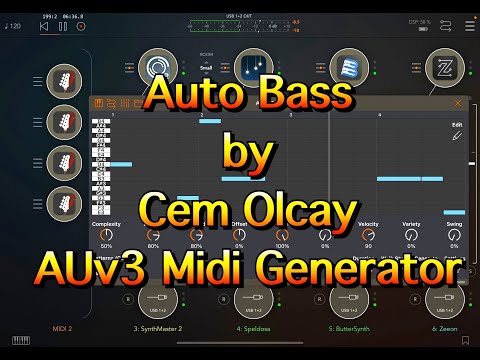
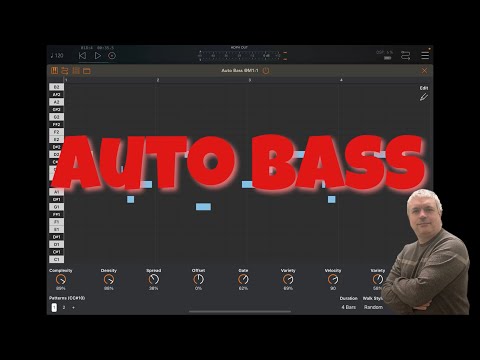
Auto Bass features a powerful algorithm for generating awesome basslines and melodies.
Tweak every aspect of the algorithm to generate basslines that fit your needs.
Complexity breaks longer notes into shorter ones for intricate patterns.
Density controls the note-to-rest ratio in your sequences.
Spread sets the range of notes displayed on the piano roll.
Offset shifts the notes vertically on the piano roll.
Choose your style
Change gate length and velocity globally with dedicated parameters.
Gate variety and velocity variety knobs introduce controlled randomization.
Set bassline pattern duration from 1 bar up to 64 bars long.
Swing parameter shifts every other note's start position for groove.
Walk type rearranges notes on the piano roll without regenerating the entire sequence.


Sequence the Transpose
Transpose sequences using an external MIDI keyboard or sequencer.
Edit menu on the top left exposes advanced editing options.
Accent mode lets you mark any note on the piano roll as accented.
Transpose control allows you to change the sequence's key.
Nudge control shifts the entire sequence left or right for timing adjustments.
Take advantage of the AUv3 Plugin
Auto Bass operates as both a standalone app and an AUv3 MIDI Plugin.
Create AU presets and utilize all available AU parameters.
Modulate parameters with ShiftBud for dynamic control.
Change patterns using PatternBud integration.
Control key and scale remotely with BrainBud.